A photo turns up sideways because the camera stored the pixels the way the sensor read them and added a small note, the EXIF orientation flag, saying how to turn them for display. Your phone reads the note. The uploader, editor or form you sent the file to did not. The pixels were never rotated, so a program that skips the note shows the picture exactly as the sensor saw it.
What is the orientation flag?
It is one tag in the EXIF block, a number from 1 to 8. A phone held upright still records a landscape-shaped grid of pixels, because the sensor has a fixed long edge. Rather than spend time rotating millions of pixels at the moment of capture, the camera writes down how the phone was held and leaves the rotation to whoever opens the file later. That is cheap and loses nothing, which is why it became the habit.
The values that matter in practice:
- 1 means display as stored.
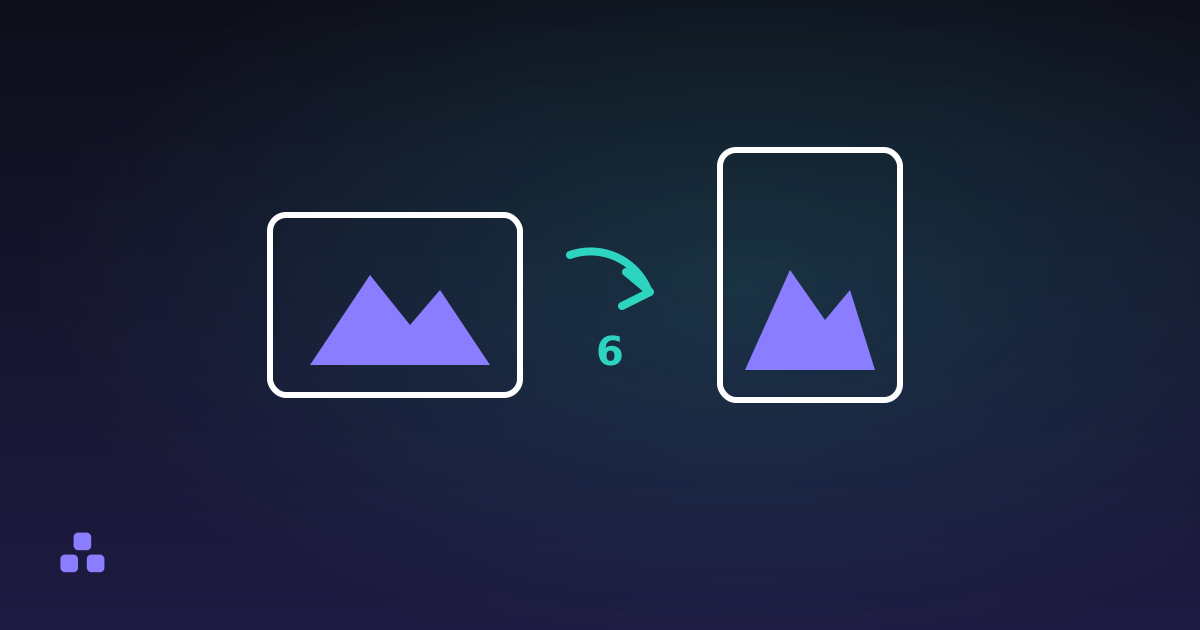
- 6 means rotate 90 degrees clockwise to display. A portrait photo from a phone held upright is usually this one.
- 8 means rotate 90 degrees counter-clockwise.
- 3 means rotate 180 degrees, a phone held upside down.
- 2, 4, 5 and 7 add a mirror flip. They show up mostly with front-facing cameras and some scanners.
Values 5 to 8 also swap width and height. A file stored at 4000 by 3000 with orientation 6 is a 3000 by 4000 portrait on screen. That is why the same photo can report two different sizes depending on the program asking.
Why does it look right in one program and sideways in another?
Honouring the flag is the viewer's job, and nothing forces a program to do it. Browsers do it for images on a page: the CSS property image-orientation defaults to from-image, and MDN lists it as widely available across browsers since April 2020. So a photo that is sideways in a browser today more likely has no flag than meets a browser that ignores it.
The programs that get it wrong are the ones that decode the pixels without looking at the metadata: an image library on a server that makes thumbnails, an older desktop viewer, a form that reads the file with a minimal parser, a script that copies the pixels into a new file. I cannot give you a reliable list of which ones, because it changes with versions and settings. The honest test is to send one portrait photo through the path you care about and look at what comes back.
It also explains a pattern people notice: the photo looks right in your gallery, sideways in the upload preview, and right again on the published page. Each step is a different program making its own decision about the flag.
How do I check what the photo says?
Open it in the EXIF viewer. It reads the file in your browser and lists the orientation in words, for example "Rotated 90 degrees clockwise". When the flag turns the image a quarter turn, it also shows a "Size once rotated" row. The pixel dimensions it reports are the stored ones, not the ones after rotation, so a portrait photo can read as landscape on that line. That is the stored truth, and the number a program sees if it ignores the flag.
Two readings tell you what is going on:
- The flag is 6, 8 or 3 and the photo is sideways somewhere. That program is ignoring the flag, and the file is fine.
- The flag is 1, or absent, and the photo is sideways everywhere. The pixels are stored sideways and nothing tells anyone to turn them. This is usually the result of a metadata edit that went wrong earlier.
The viewer has limits. It reads JPEG, PNG, WebP and TIFF metadata, and it does not read HEIC or AVIF. If your iPhone saves HEIC, export a JPEG first, as why an iPhone photo will not open on another computer explains.
Can removing metadata make it sideways?
Yes, and it is the trap in the usual privacy advice. Orientation lives in the same EXIF block as the GPS coordinates. A tool that deletes the whole block deletes the flag too, and if the pixels were stored sideways, the photo now displays sideways in every program, including the ones that used to get it right.
The EXIF remover and the download button in the viewer work this way. They drop the EXIF segment of a JPEG without decoding the pixels, and they do not rewrite the orientation. That is a lossless copy, and also a tool that will not fix a sideways photo. If the flag in your file is anything other than 1, rotate the pixels first, in an editor that rotates and re-saves, and strip afterwards. Or accept a re-encode and check the result.
The reverse happens too. Re-saving a photo through a canvas or an editor often applies the rotation to the pixels and writes the file fresh, which is one reason metadata disappears as a side effect of many resizing tools while the photo comes out upright. What each tool does varies, so look at the result instead of assuming.
How do I fix a photo that is already sideways?
- Check the flag in the viewer so you know which of the two cases you are in.
- If the flag is set and one program ignores it, rotate the pixels in an editor and save a new copy. The photo is then upright with the flag reset to 1, so every program agrees.
- If the flag is missing, rotate the pixels and save. The rotation is the only record there will ever be.
- Expect a re-encode. Rotating a JPEG in a way that changes pixel data costs a generation of compression, unless the editor rotates in blocks without decoding, which some do for exact quarter turns. If the file is going on a web page anyway, the dimensions the page needs matter more than that one generation.
To see what a photo says about its own rotation before you send it, drop it into the EXIF viewer. It names the orientation, shows the stored and rotated sizes, and runs in your browser, so the photo is not uploaded to be inspected.
The flag is one of many fields the file records about itself. What EXIF data is, and what it reveals covers the rest, including the ones you would rather not publish.
Frequently asked questions
Why is my photo sideways after I upload it?
Your camera stored the pixels as the sensor read them and wrote an EXIF orientation flag saying how to turn them. Whatever received the upload read the pixels without applying the flag. Check the file in an EXIF viewer: if the flag says 6, 8 or 3, the file is fine and the program is at fault.
What do the EXIF orientation values 1 to 8 mean?
Value 1 is display as stored, 3 is rotate 180 degrees, 6 is rotate 90 degrees clockwise and 8 is rotate 90 degrees counter-clockwise. Values 2, 4, 5 and 7 add a mirror flip to those. Values 5 to 8 also swap the width and height of what you see.
Does removing EXIF data change a photo’s orientation?
It can. The orientation flag sits in the same EXIF block as GPS and camera data, so deleting the whole block deletes the flag. A photo whose pixels are stored sideways will then show sideways in every program. Rotate the pixels first, then strip the metadata.
Do browsers respect the EXIF orientation of an image?
Yes for images shown on a page. The CSS property image-orientation defaults to from-image, and MDN lists it as widely available since April 2020. A photo that is sideways in a modern browser more likely has no flag than meets a browser that ignores it.
How do I fix a photo that is permanently sideways?
Rotate the pixels in an editor and save a new copy, so the picture is upright with the flag reset or absent. After that, every program agrees on how it looks. Expect the file to be re-encoded, which for a JPEG costs a little quality.
Last updated November 16, 2026